A hackathon can look organized right up until the first deadline hits. Registration lives in one system, team requests in a spreadsheet, submissions in a shared folder, pitches on a timer app, and judging in documents that must be reconciled by hand. The separate tools versus workspace decision is not about how many tabs your team can tolerate. It determines whether you can run the event or spend the event chasing its data.
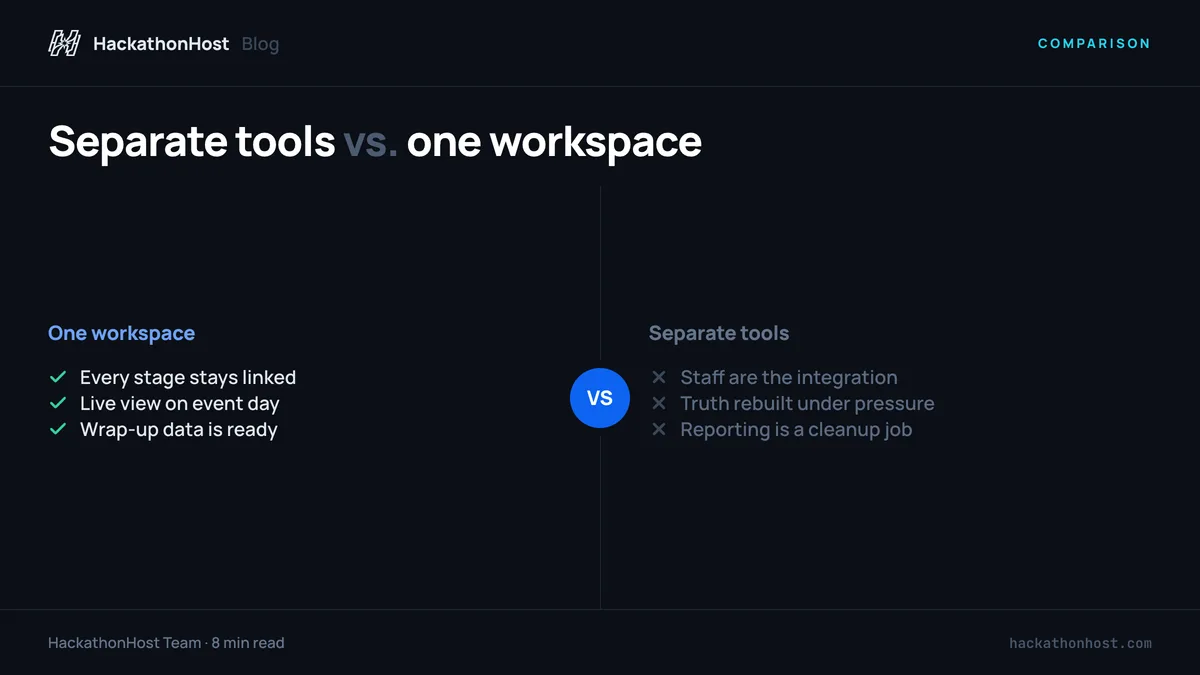
For organizers, fragmented tools create a hidden operating model: people become the integration layer. A program manager exports names, a volunteer checks duplicates, a judge searches an inbox, and someone updates the scoreboard manually. That approach can work for a small, informal gathering. It becomes fragile quickly when the event has sponsors, multiple tracks, weighted criteria, hybrid attendance, or a public results reveal.
Where separate tools start to fail
Individual tools are often good at their individual jobs. A form builder can collect applications. A spreadsheet can sort participant data. A video platform can host a pitch. A survey tool can gather feedback. The problem appears in the handoffs between them.
Every handoff creates questions that should have one reliable answer. Which registration is current? Has this participant been approved? Is this team eligible to submit? Which project version should judges review? Did every judge complete every assigned score? When the answers sit across disconnected systems, the host team has to reconstruct the truth under deadline pressure.
That is not merely inconvenient. It affects participant trust. A participant who cannot find their team, a judge who receives the wrong rubric, or a finalist whose score is missing does not experience an internal workflow problem. They experience an event that feels unprepared.
The cost is usually labor, not software
Separate tools may appear less expensive because many have free tiers or existing organizational licenses. But their sticker prices exclude the coordination work around them. Someone must configure each tool, move data between systems, maintain permissions, create instructions, and respond when information conflicts.
There is also a cost after the event. Sponsors may want participation data, project outcomes, and audience engagement metrics. Leadership may need a defensible report on attendance and judging. If the event record is distributed across six systems, reporting becomes another cleanup project.
The more your event repeats, the more this manual work compounds. A process that takes three extra hours for one community game jam can become days of work across a university program, developer-relations series, or internal innovation challenge.
Separate tools versus workspace: choose based on the workflow
A workspace is not simply a dashboard that puts links in one place. For competitive build events, it should connect the actual sequence of operations: registration, participant review, team formation, project submission, presentations, judging, results, and follow-up.
That continuity matters because each stage supplies the next. Approved participant data informs matchmaking. Teams determine who can submit. Submission data feeds the judging queue. Completed scores determine result eligibility. Final placements drive certificates and announcements. When one workspace owns the workflow, the status of each person, team, project, and score stays connected.
A separate-tool stack can still be a reasonable choice in limited cases. If you are running a one-time, low-stakes event with a small group that already knows one another, a basic form and shared spreadsheet may be enough. It can also make sense when a specific enterprise system is mandatory for identity management or communications.
But do not confuse a familiar process with a controlled process. Once the event needs fair scoring, branded participant communication, live presentation logistics, or reliable post-event data, a purpose-built workspace removes the coordination burden that generic tools push back onto staff.
Set up once instead of rebuilding the event record
The strongest operational advantage starts before registration opens. In a connected workspace, the host team establishes the event identity, intake questions, eligibility rules, tracks, judging criteria, and participant communications in one environment. That creates a single source of truth before the first applicant arrives.
For a university hackathon, that may mean importing a campus outreach list, collecting skill profiles and dietary needs, and approving participants in batches. For a game jam, it may mean asking about engines, art disciplines, audio skills, and team availability. These are not generic event fields. They directly support how people find collaborators and how organizers staff the experience.
A workspace should also preserve your ownership. Participants should encounter your branding, your event language, and your host communications rather than being pushed through a third party's identity. Your team should control access, data boundaries, and operational settings without asking an agency to change the event on your behalf.
That ownership is particularly valuable when events are part of a larger program. You can carry forward the structure that worked, improve the questions that did not, and retain clean historical data without recreating the operation from scratch.
Run the day from one operational view
Event day exposes every weak connection in a fragmented stack. Schedules slip. Participants ask where to submit. A project changes names. A judge needs help finding an assigned entry. The right response is not a bigger group chat. It is an operational view that tells the host team what is happening now.
For online, in-person, and hybrid formats, that means seeing registrations, team status, submissions, and judging progress in the same system. It means using submission locks when the deadline is real, rather than relying on someone to stop accepting folder uploads. It means sending a branded broadcast when the schedule changes instead of copying an announcement into several platforms and hoping nobody misses it.
Live presentations are another point where generic event tools fall short. A pitch countdown, full-screen projector view, and clearly ordered presentation queue are small details with large effects. They keep a finalist showcase moving, reduce dead air, and let organizers focus on people rather than operating a collection of apps from a laptop.
This is where HackathonHost is designed to help. Its workflow brings together team-building boards, project submissions, weighted judging, presentation timing, audience engagement, result reveals, certificates, surveys, and analytics under the host's own white-label workspace. The goal is simple: your team runs the show without maintaining an event-tech patchwork.
Protect judging integrity before results are due
Judging is where a fragmented process creates the most visible risk. A shared scoring sheet can be fast to launch, but it can also expose judges to data they should not see, allow incomplete evaluations to go unnoticed, and make formula errors difficult to detect until the final minutes.
A purpose-built scoring workflow gives each judge the right queue, the right rubric, and a clear completion state. Weighted criteria can be configured to match the event's goals, whether that means technical execution, creativity, social impact, gameplay, or commercial potential. Organizers can see progress without reading individual scores aloud or asking judges to report their status in chat.
This does not eliminate judgment calls. A workspace cannot decide whether a project best fits a sponsor award or whether a tie merits discussion. What it can do is make the process traceable. Your team can confirm that required evaluations are complete, export the results when needed, and reveal outcomes with confidence that the underlying mechanics were applied consistently.
Wrap up with usable data, not a recovery project
The event does not end when the winners are announced. Participants expect certificates, follow-up communication, and a record of what they built. Sponsors and internal stakeholders want evidence of reach and outcomes. Your team needs to know what to improve.
With separate tools, the wrap-up often starts by merging exports. Attendance may be in one file, submissions in another, survey feedback in a third, and scores somewhere else entirely. That makes it harder to answer basic questions, such as which tracks drew the most participation or whether team matching improved retention.
A workspace keeps those outputs connected to the event record. You can issue QR-verifiable certificates, collect feedback while the experience is fresh, review engagement and submission data, and prepare reporting without rebuilding the dataset. The benefit is not only speed. It is the ability to run the next event with evidence instead of memory.
The practical test for your event stack
Ask one question: if your lead organizer lost access to their laptop halfway through the event, could another trained teammate see the current state of registration, teams, submissions, judging, and results without hunting through messages and personal files?
If the answer is no, the process depends too heavily on individual coordination. That may be acceptable for a casual gathering. It is a poor foundation for an event where participants invest a weekend, judges lend their expertise, and your organization puts its reputation on the line.
Choose tools that let your team own the whole event record, not just assemble it after the fact. When deadlines get tight and the room gets loud, that control gives organizers more time for the work only people can do: welcome participants, support great ideas, and make the final reveal feel earned.